Many people’s experience with Augmented Reality (AR), began with Pokémon Go in 2016. It allowed players to immerse themselves into the Pokémon world through AR and Virtual Reality (VR). From this, many more technologies of the same nature began to be developed and produced and have started to slowly take over the education scene. Students now have the power to learn how to dissect a frog or discover historical artefacts from around the world, simply from the screen in their hands.
AR technology is computer-generated, allowing both real and virtual worlds to coexist in the same space and be interacted within real time (Bower et al., 2014; Akcayir & Ackayir, 2016). These technologies exist on a reality-virtuality continuum, in which AR produces an overall mixed reality. However, many AR technologies also offer users the ability to move to the end of the spectrum, engaging in a more VR environment – such as the Froggipedia app which offers players both an AR or VR experience.
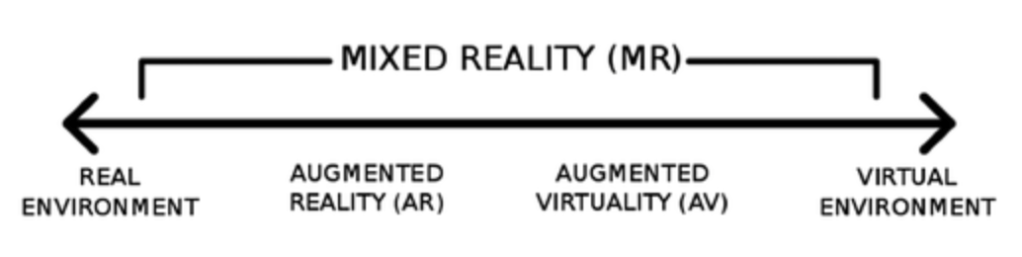
AR can reduce students cognitive load, allowing them to engage in higher-order thinking and further promotes enhanced learning achievement through rich, authentic and immersive learning experiences (Bower et al., 2014; Ackayir & Ackayir, 2016). Over the years, AR has become easily accessible with applications being downloaded and used on computer or mobile devices (Bower et al., 2014). Thus, seeing its emergence into all levels of schooling, from kindergarten through to university (Bower, 2014; Ackayir & Ackayir, 2016). As AR continues to emerge, its educational potential is more widely recognised and can be adapted across all key learning areas and is implemented simultaneously with constructivist pedagogies to provide an authentic and meaningful learning experience (Bower, 2014).
To provide an idea of the range of AR technologies used within education, I have provided a table below with some examples from our tutorial.
| Technology | AR Experience | Curriculum | Strengths | Weaknesses |
| Human Anatomy 4D | Overlays a 3D human figure, in any environment, in which you can remove and view body parts and systems. | Science – Biology, and PDHPE. | Free Different modes available (x-ray, skin mode) Anatomically accurate Easy to use Used as AR, MR or VR | Not available on Android You have to start again every time you close the app |
| Frogipeddia | Overlays a 3D image of a frog, explicitly modelling the frogs lifecycle and body systems. You can also perform a dissection. | Science – Biology | Accurate representation Cleaner alternative to an actual dissection Highly engaging Informal assessment at the end of the dissection (instant feedback) | Some hard-to-understand science vocabulary Apple only Only one species of frog Need to restart dissection if you missed something |
| Spacecraft 3D | Overlay of 3D spacecrafts and provides history and details for the specific craft. | Robotics, Engineering and Science. | Excellent visuals Shows how the crafts work and move around Information on the size, weight, launch date, and history Easy/free accessibility to markers | No tutorial on how to use Older students only |
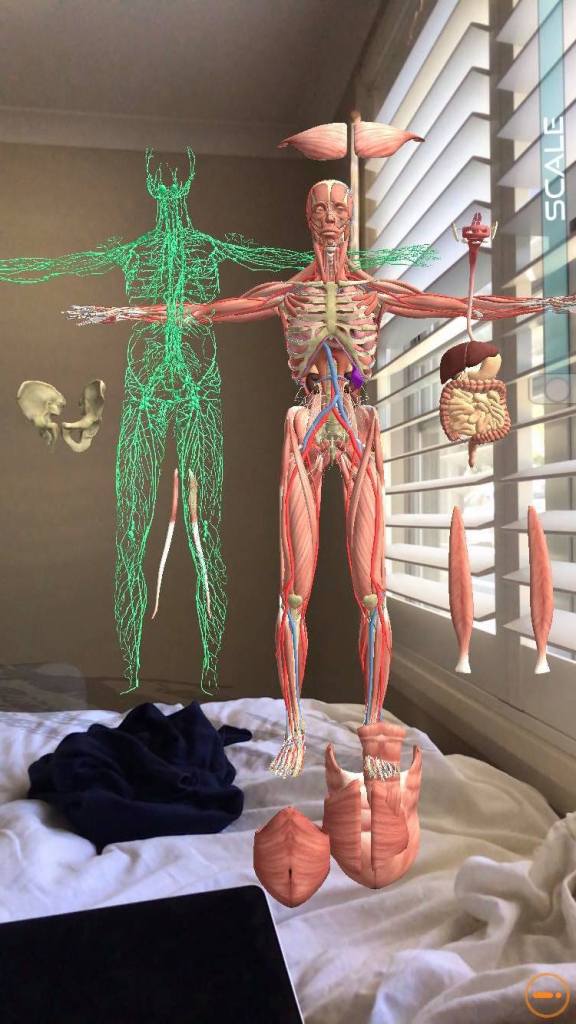
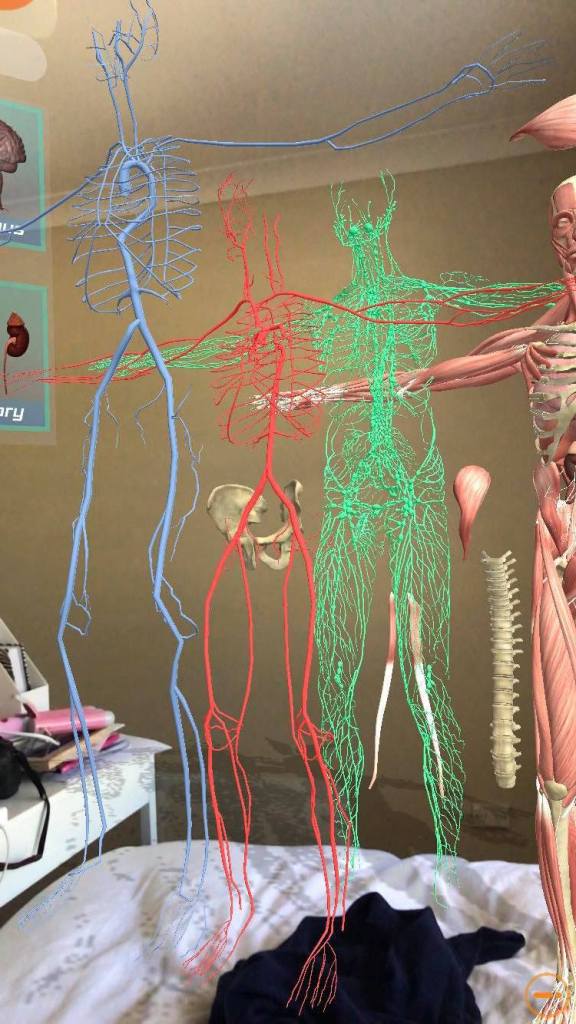
These technologies vary in effectiveness of engaging students in learning, withholding many positives and negative. For example, when comparing Spacecraft 3D and Frogippedia, both are excellent in AR overlays and communicating specific knowledge, however, it becomes clear that students are not able to access higher-order thinking as both applications provide a pre-packaged learning experience (Bower et al., 2014). Thus, students are passive receivers of information rather than being positioned as the designer. Unless creative tasks are provided to supplement these applications, then students creativity will not be fostered, nor the opportunity to use critical thought processes.
Undoubtedly, there are limitations which arise when using AR in the classroom. For example, time constraints and user experience. However, Ackayir & Ackayir (2016) state that these issues are minor and should not impact future pedagogy. Furthermore, the continual development of AR technologies will debug any issues we face today.
On the other hand, there are technologies which position the user as the designer, such as Zapworks. Zapworks allows the user to create trigger imagery which, when scanned using the Zappar app, acitvates an AR immersive display. Thus, allowing the user to create unique products whilst still engaging in higher-order thinking capabilities aligning with specific KLAs outcomes through the implementation of constructivist pedagogy.

Learning by design aids in developing student’s content understanding and subject-specific cognitive skills, such as knowledge of historic art eras, as demonstrated in my Zapworks example. Whilst AR continues to provide a constructivist experience for students, teachers need to be mindful of integrating AR technologies so that they are creating meaningful and authentic learning experiences. Thus, fostering creative and critical thinking skills whilst simultaneously further developing students higher-order thinking capabilities.
Reference Lise
Akçayır, M., & Akçayır, G. (2017). Advantages and challenges associated with augmented reality for education: A systematic review of the literature. Educational Research Review, 20, 1-11.
Bower, M., Howe, C., McCredie, N., Robinson, A., & Grover, D. (2014). Augmented Reality in education – Cases, places and potentials. Educational Media International, 51(1), 1-15.
 Elise's Blog
Hi Elise! I loved reading your blog on the different ways augmented reality can be utilised in the classroom! I thought your comparisons between the different kinds of augmented reality apps were very helpful as well. I agree with your point that augmented reality apps are not effective in fostering creativity and don’t give students the opportunity to exercise critical thinking. What are some examples of creative tasks you can suggest that will make using augmented reality apps effective and meaningful in the classroom?
LikeLike
My example of zap works towards the end of the post is a great example of engaging students in creative thinking as they are able to make their own ‘presentations’. However, if you want something more creative i think a great example could be the use of Spacecraft. I’m thinking, students in science, robotics or even engineering, could use this app to research the different types of spacecrafts used by NASA and use the information to design their own spacecraft. The teachers role would be to provide a planet with unique characteristics for students to develop their spacecraft for. This way, students are engaging with the syllabus but also have the freedom to create whatever they want. This in turn allows then to go through the design process to continue to evolve their prototype. I hope this helps 🙂
LikeLike
Hi Elise!
I agree that with these AR technologies that students become passive recipients of the experience but with more technological advancements I believe that applications could allow for a more active experiences. But for now I definitely think these technologies should only be used for lower order thinking and cannot be used the sole pedagogic strategy to teach content. They should be accompanied with another more active strategy.
LikeLike