The Maker Movement and the rise of Constructionism

The maker movement values human ingenuity, whereby students create and design products whilst engaging with the design process and has also resurrected constructionism within education (Blikstein, 2013). Instead of sitting and listening to information, students have the opportunity to engage in hands-on learning experiences where creativity is fostered alongside higher-order, design and computational thinking capabilities (Bower, et al., 2018). In addition, students partake in solving complex problems to debug their designs. 
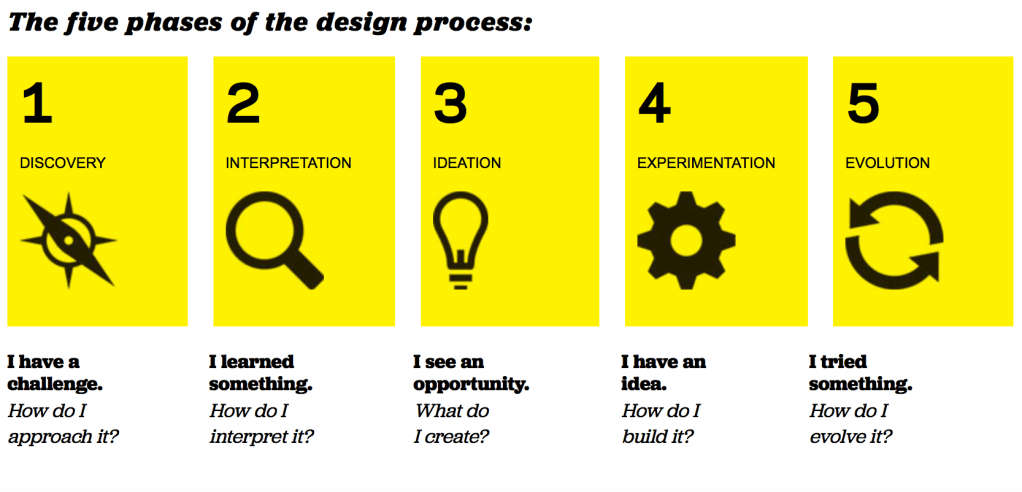
Design Thinking via https://designthinkingforeducators.com/design-thinking/

The maker movement also includes the functional use of makerspaces. These being physical spaces within classrooms promoting ‘making’ where a balance of explicit instruction and open-ended inquiry is essential in creating a positive learning experience (Bower, et al., 2018) . These spaces allow for the blending of digital and physical technologies in order to explore creative ideas, create new products and to learn and develop technical skills (Donaldson, 2014; Martinez & Stager, 2014). Students engage in their own learning as they work on meaningful and authentic projects (Donaldson, 2014). Student-centred activities where they work on their own interests, results in high-quality products and thus, increases intrinsic motivation (Donaldson, 2014; Martinez & Stager, 2014). 

Do Amazing Things Using Everyday Objects with Makey Makey via https://www.youtube.com/watch?v=EWPKJF5enkk

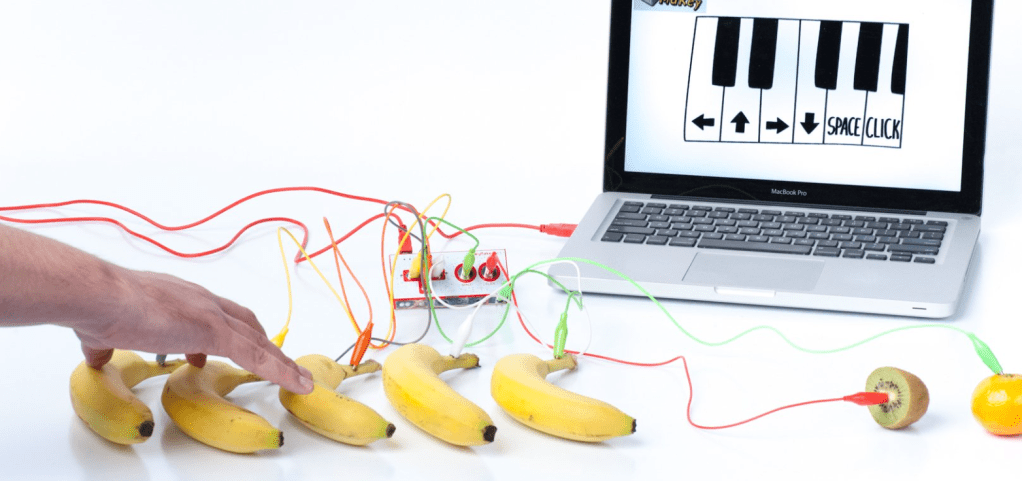
Makey Makey is an electronic example which requires makerspaces. Makey Makey is a USB device turning almost anything into a computer input. All you need is something that can conduct electricity to attach the alligator clips to and then begin the design process. 

Examples of Makey Makey classroom opportunities include:

  • Discovering conductible materials (Science)
  • Distance, rate and time (Mathematics)
  • Blackout poetry (English)
  • Making instruments (Music)
Screenshot via https://makeymakey.com

From these examples, Makey Makey clearly covers many KLAs bringing forth a plethora of opportunities for authentic and meaningful learning experiences. In addition, Scratch can also be used to code their designs where necessary (e.g. computer games). 

Integrated STEM Education with 3D Printing via https://www.youtube.com/watch?v=0nYWqhjziZg

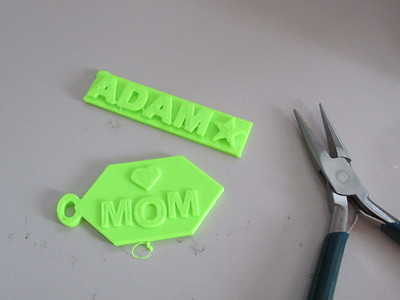
Blikstein (2013) also discusses digital fabrication – for example, 3D printing – as a form of constructionism. Although 3D printing definitely requires a hands-on approach, the generation of designs can become a result of ‘mass production’ in which little to no creativity is used. Therefore, it is critical for teachers to steer away from quick demonstrations and rather, push students towards more complex endeavours. In addition, along with Makey Makey cost, accessibility an teacher knowledge becomes a factor that all schools need to consider.
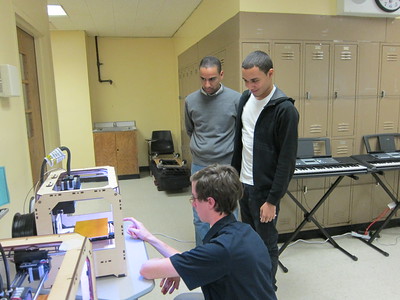
3D Printing Makerbot Workshop 008 via Flickr
Family 3D Printing via Flickr

These technologies clearly enhance multiple literacies in all KLAs and promote cross-curricular proficiencies. They also foster creativity as they situate students as designers, as they engage in the design process and higher-order thinking. In addition, student’s complete tasks focusing on their own interests, resulting in high-quality products through authentic and meaningful learning experiences. Therefore, producing confident and capable students who become skilled learners who can solve any problem they face (Bower et al., 2018). 


References

Bower, M., Stevenson, M., Falloon, G., Forbes, A., & Hatzigianni, M. (2018). Makerspaces in primary school settings: advancing 21st century and STEM capabilities using 3D design and printing. Available at http://primarymakers.com

Donaldson, J. (2014). The Maker Movement and the rebirth of Constructionism. Hybrid Pedagogy. Available at: https://hybridpedagogy.org/constructionism-reborn/

Martinez, S., & Stager, G. (2014). The maker movement: A learning revolution. Learning & Leading with Technology. Available at: https://multisearch.mq.edu.au/permalink/f/1lmkbbh/TN_gale_ofg367544205

Blikstein, P. (2013). “Digital fabrication and ‘making’in education: The democratization of invention.” FabLabs: Of Machines, Makers and Inventors: pp. 1-21. Available at: https://tltlab.org/wp-content/uploads/2019/02/2013.Book-B.Digital.pdf  
Is there more to gaming than we think?

Gaming and education

Games are a method of creative release depending on the way they are used. I say this because there are many negative opinions about gaming which have impacted its use in education (Gee, 2005). However, by integrating digital and non-digital teaching strategies, we remove the dichotomy between the two and create an authentic and meaningful learning experience catering to all students needs (Toomey, 2017; Salen, 2010). Moreover, many studies have shown a great number of benefits when implementing gaming into the classroom and the positive effect they have on transforming children’s learning experiences. 

The main setback of incorporating gaming in education, is teacher’s inability to differentiate and to appropriately use gamification and games-based learning in their classrooms; resulting in negative learning experiences. Thus, raising the question: should students play ‘pre-packaged’ games or should they create their own games.

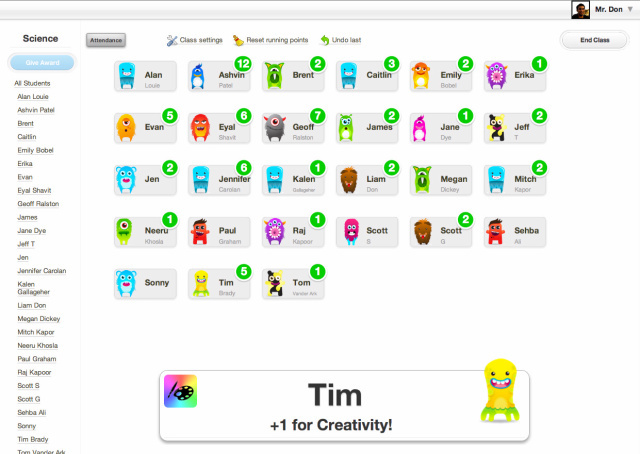
Class Dojo image via https://changeologyblog.wordpress.com/2016/02/11/dear-parents-are-class-dojos-in-your-school-ask-questions-avoid-them-if-possible/

Firstly, gamification is the integration of game-like elements into conventional learning activities, increasing student engagement and motivation through pre-packaged experiences (Bower, 2020). For example, Class Dojo allows teachers to use game-like elements to award students on behaviour and academic achievements. Young children are eager to ‘win’ and will do anything to be rewarded. Sadly, resulting in a lack of engagement with educational content and literacies, quality of work and a shift towards extrinsic motivation (Gee, 2005; Toomey, 2017). 

Benefits of gamification greatly depend on the contextual environment and the user using it (Hamari, et al., 2014). Therefore, overcoming this issue requires teachers to re-establish intrinsic motivation and provide opportunities for reflection and critical thinking (Toomey, 2017). This way, students engage with the targeted curriculum content and literacies (Toomey, 2017; Moore-Russo, 2018). 

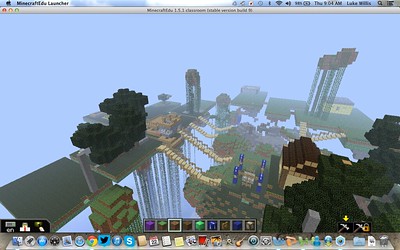
Secondly, games-based learning is the designing of games so that game characteristics and principles inhere within the learning activity themselves (Bower, 2020). Engaging with game-design is far more challenging and creative than gamification. Both Scratch and Minecraft EDU are excellent examples of this as they position students as designers whilst refining gaming proficiencies which can be used with non-digital media (Toomey, 2017). Setting tasks which suit student abilities and interests engages them in higher-order thinking capabilities (Beavis et al., 2015; Marcon & Faulkner, 2016). 

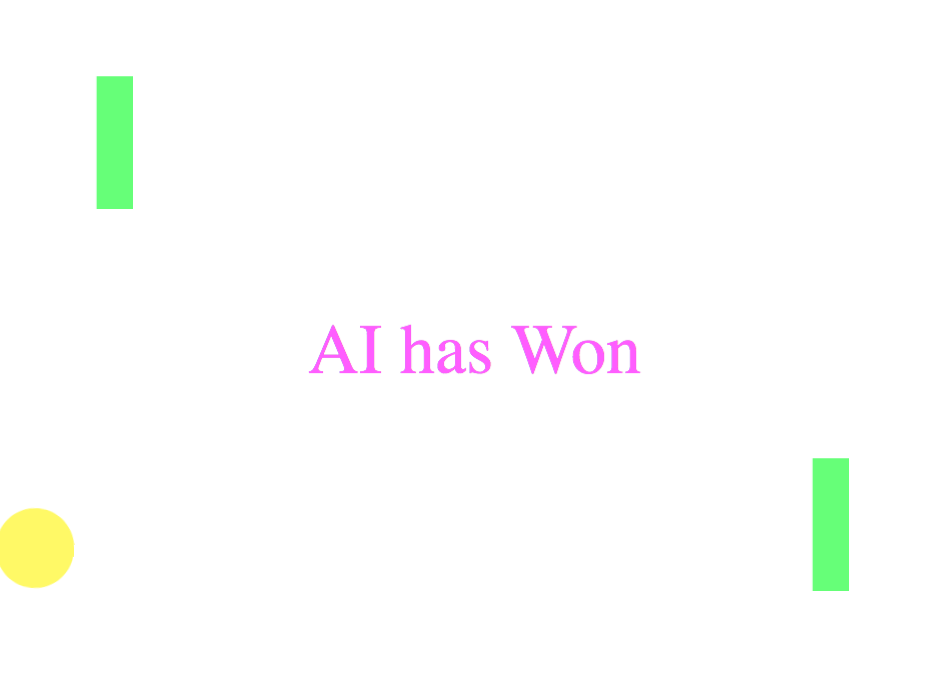
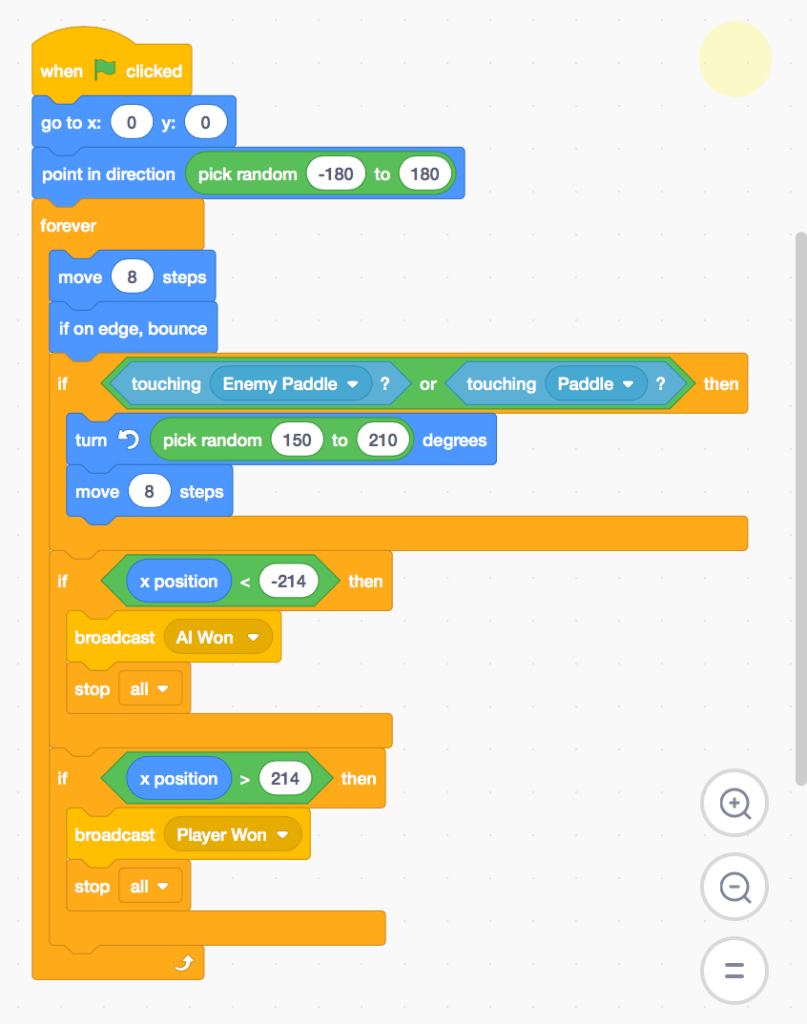
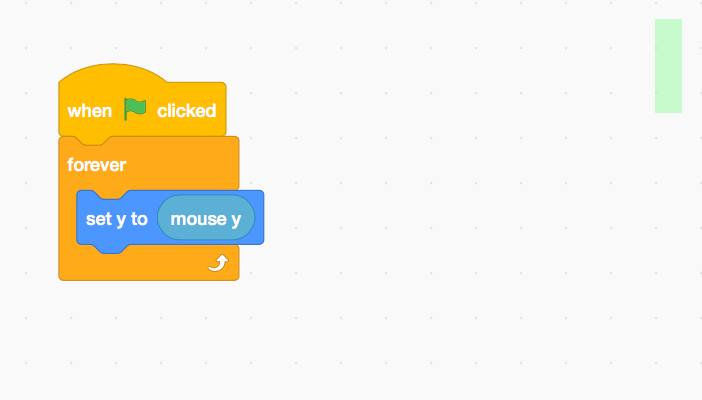
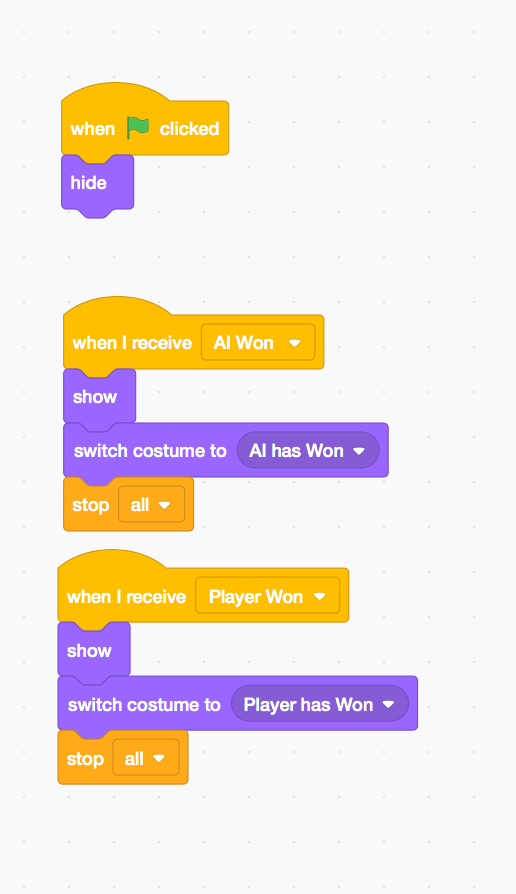
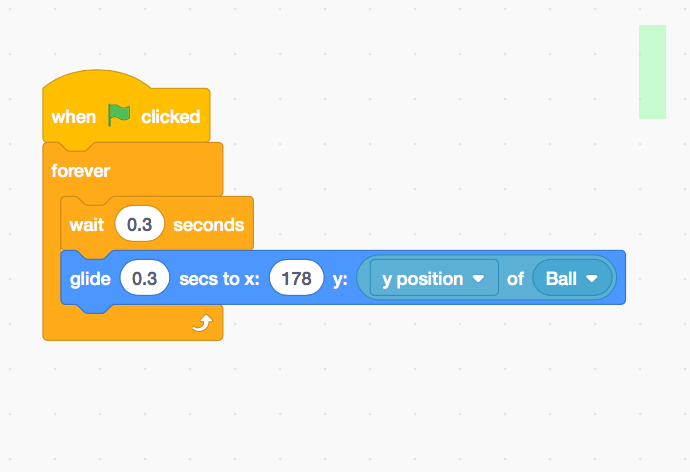
Here you can play the game I created following a step-by-step tutorial, using Scratch: 

https://scratch.mit.edu/projects/396753151

Due to my limited knowledge of this technology and coding, I found it challenging to be creative; and when I did try to be creative, I encountered many problems. However, the process of design is way more important than the final product (Prensky, 2008). 

Involving students in gaming promotes positive engagement with a wide range of educational literacies and 21stCentury capabilities (Marquis, 2012; Toomey, 2017). Developing activities suited to student abilities and interests allows meaningful interactions to occur and will foster greater creativity and critical thinking capabilities, rather than a task which scaffolds the making of a final product. 


Beavis, C., Walsh, C., Bradford, C., O’Mara, J., Apperley, T., & Gutierrez, A. (2015). ‘Turning Around’ to the Affordances of Digital Games: English Curriculum and Students’ Lifeworlds. English in Australia, 50(2), 30-39.

Gee, J. P. (2005). Good video games and good learning. Retrieved from: http://dmlcentral.net/wp-content/uploads/files/GoodVideoGamesLearning.pdf

Marcon, N., & Faulkner, J. (2016). Exploring Minecraft as a pedagogy to motivate girls’ literacy practices in the secondary English classroom. English in Australia, 51(1), 63-69.

Marquis, J. (2012). Game Design is the Key to an Innovative 21st Century Education. https://www.onlineuniversities.com/blog/2012/02/game-design-is-the-key-to-an-innovative-21st-century-education/

Prensky, M. (2008). Students as designers and creators of educational computer games. British Journal of Educational Technology, 39(6), pp. 1004-1019. Retrieved from: https://onlinelibrary.wiley.com/doi/epdf/10.1111/j.1467-8535.2008.00823_2.x

Salen, K. (2010, July 29). Katie Salen on Learning with Games. https://www.youtube.com/watch?v=xV_VlhV99EA&feature=youtu.be

Toomey, M. (2017). Engaging the enemy: Computer games in the English classroom. Literacy Learning: The Middle Years. 25(3), 38-49.

Virtual Reality and its uses in Education

Virtual Reality (VR) has been around for decades, but has only recently emerged into classrooms. Southgate (2018) defines VR as an immersive 3D computer-generated world which can be a highly imaginative or realistic simulation. VR has different environments – one being on a desktop and the other through a wearable headset such as Google Cardboard or Oculus – which block out reality fostering a more immersive VR. These environments offer users varying levels of interaction from navigating a world to designing their own worlds and elements within their world (Southgate, 2018). 

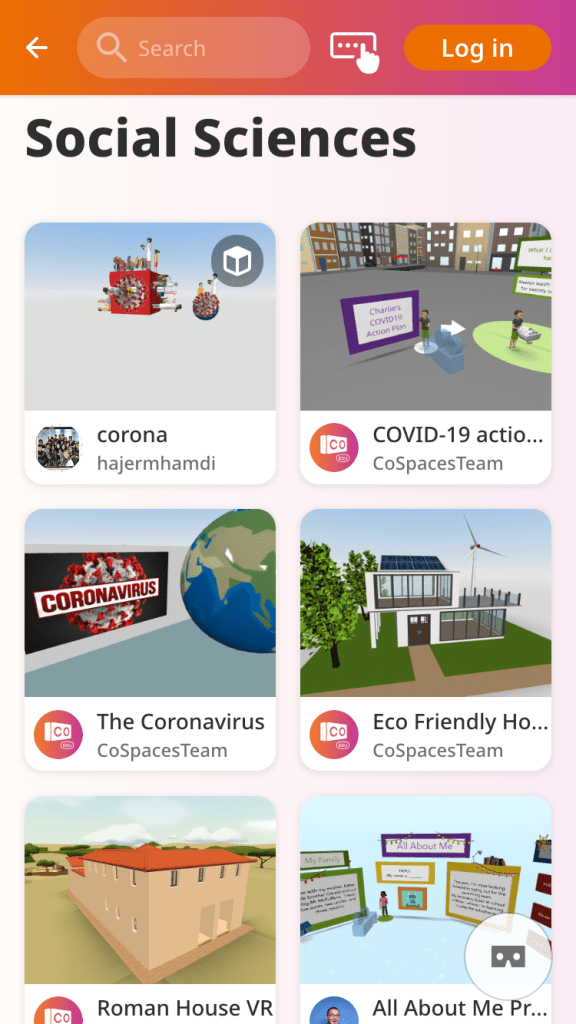
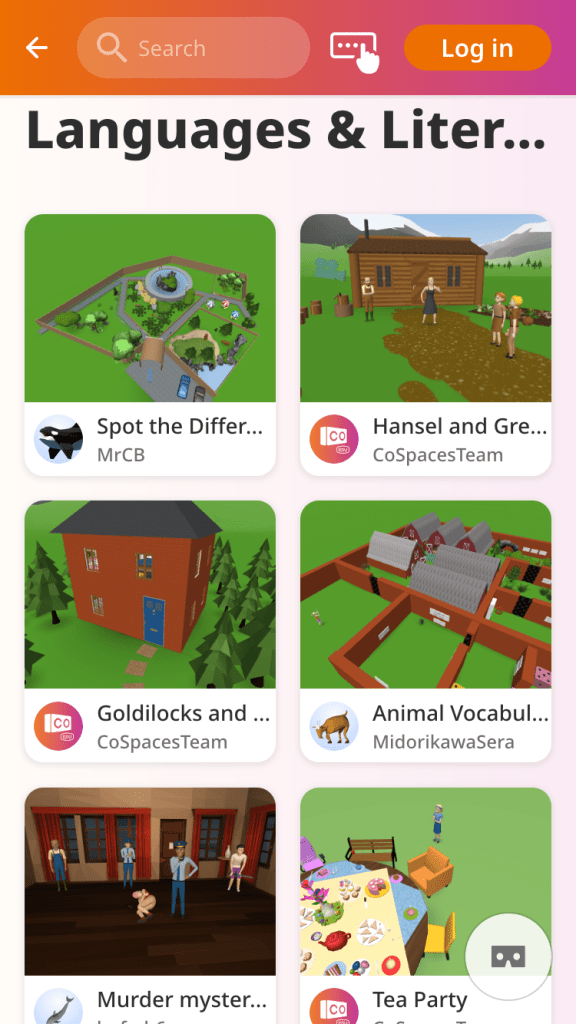
Depending on the environment, users can experience VR in either first or third person perspectives or both (Southgate, 2018; Dede, 2009). The situated learning environment of VR, immerses students in creative proficiencies as they become designers of their worlds (Dede, 2009). In addition, VR is excellent to use within all curriculum areas including but not limited to; Social Sciences, Languages, and English. 

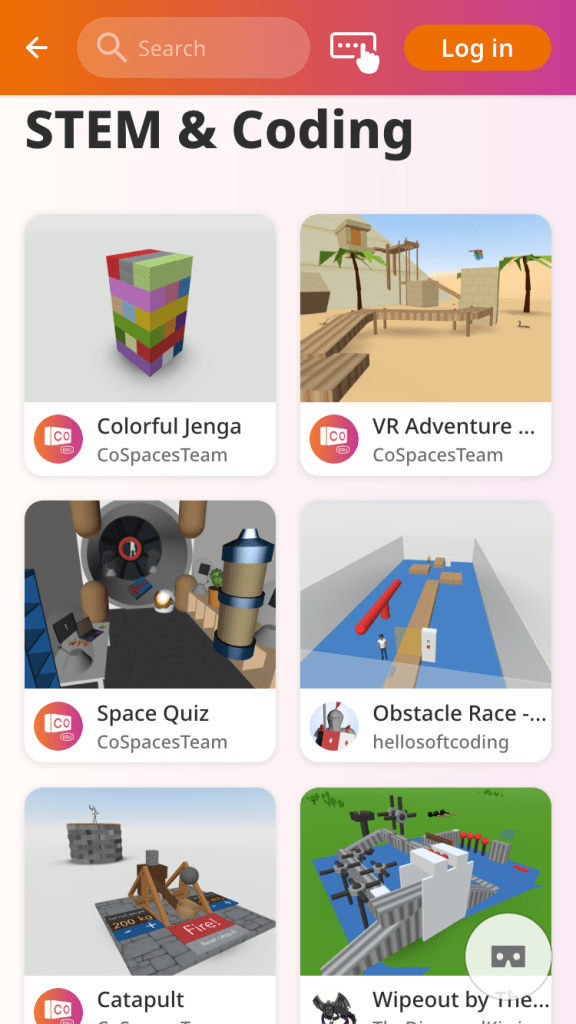
CoSpaces Edu is an online platform where its users create 3D environments either on a desktop and/or via a wearable headset. The boundaries of student’s worlds are endless, as they construct their own worlds with custom built objects made of building blocks, character objects and animations and can even upload an alternative audio recording for the narration. A great example of CoSpaces in English is to introduce storytelling in VR in which students recreate a well-known narrative (e.g. Hansel and Gretel) using the aforementioned elements in 3D. Furthermore, CoSpaces incorporates coding using the platform’s CoBlocks, and can be shared with others via a QR code. 

Unfortunately, low teacher technological knowledge limits student creativity through improper use. Therefore, teacher training is critical prior to its implementation. Moreover, Southgate (2018) states the greatest risk to student health being cyber sickness. Thus, students who suffer from motion sickness will be not allowed to use VR headsets as there is no ‘reality check’. To overcome this issue, students can participate in VR via desktops only, ensuring all students are participating in such a rich and authentic learning experience. 

Nevertheless, the teaching of educational content has radically transformed as students manipulate and interact with the content, bringing it to life; further increasing engagement and participation levels as well as engaging students in creativity (Southgate, 2018). Because of this, VR activities promote active learning for students through authentic and meaningful tasks fostering creativity and critical thinking skills (Dede, 2009; Southgate, 2018).


References

Southgate, E. (2018). Immersive virtual reality, children and school education: A literature review for teachers.DICE ResearchReport Series Number 6http://dice.newcastle.edu.au/DRS_6_2018.pdf

Dede, C. (2009). Immersive Interfaces for Engagement and Learning.Science, 323(5910), 66-69. 10.1126/science.1167311

Southgate E., Smith, S. P., Cividino, C., Saxby, S., Kilham, J., Eather G., Scevak, J., Summerville, D., Buchananan, R., & Bergin, C. (2018). Embedding Immersive Virtual Reality in Classrooms, Ethical Organisation and Educational Lessons in briding Research and Practice. Elsevier, 19(2019), 19-29. 10.1016/j.ijcci.2018.10.002

Augmented Reality and its uses within Education

Many people’s experience with Augmented Reality (AR), began with Pokémon Go in 2016. It allowed players to immerse themselves into the Pokémon world through AR and Virtual Reality (VR). From this, many more technologies of the same nature began to be developed and produced and have started to slowly take over the education scene. Students now have the power to learn how to dissect a frog or discover historical artefacts from around the world, simply from the screen in their hands. 

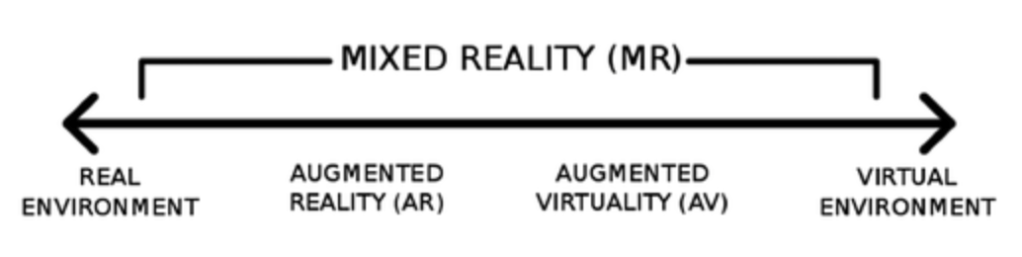
AR technology is computer-generated, allowing both real and virtual worlds to coexist in the same space and be interacted within real time (Bower et al., 2014; Akcayir & Ackayir, 2016). These technologies exist on a reality-virtuality continuum, in which AR produces an overall mixed reality. However, many AR technologies also offer users the ability to move to the end of the spectrum, engaging in a more VR environment – such as the Froggipedia app which offers players both an AR or VR experience. 

../../Screen%20Shot%202020-04-12%20at%2011.59.02%20AM.png
The Reality-Virtuality Continuum (Bower et al, 2014). 

AR can reduce students cognitive load, allowing them to engage in higher-order thinking and further promotes enhanced learning achievement through rich, authentic and immersive learning experiences (Bower et al., 2014; Ackayir & Ackayir, 2016). Over the years, AR has become easily accessible with applications being downloaded and used on computer or mobile devices (Bower et al., 2014). Thus, seeing its emergence into all levels of schooling, from kindergarten through to university (Bower, 2014; Ackayir & Ackayir, 2016). As AR continues to emerge, its educational potential is more widely recognised and can be adapted across all key learning areas and is implemented simultaneously with constructivist pedagogies to provide an authentic and meaningful learning experience (Bower, 2014). 

To provide an idea of the range of AR technologies used within education, I have provided a table below with some examples from our tutorial.

TechnologyAR ExperienceCurriculumStrengthsWeaknesses
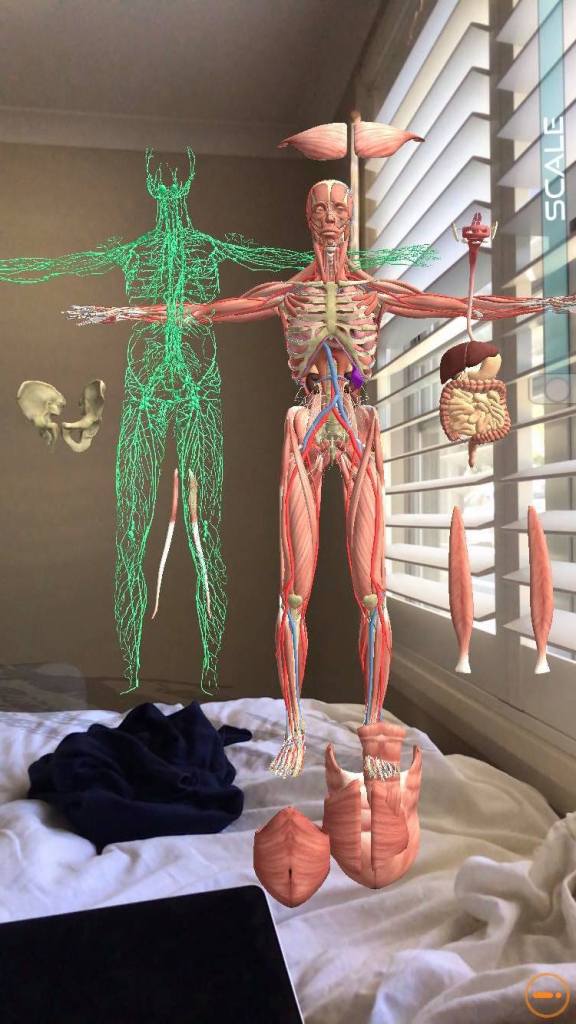
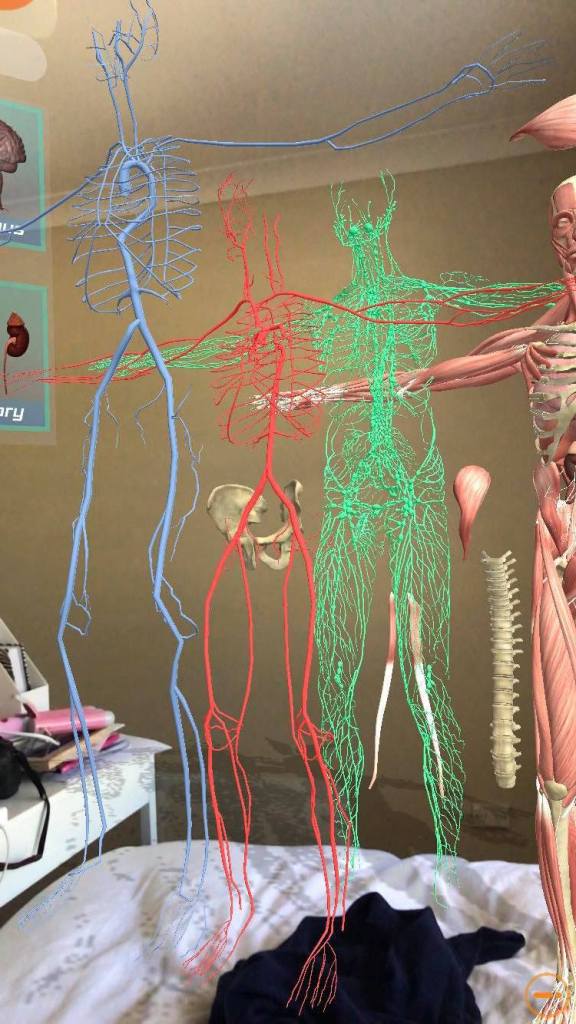
Human Anatomy 4DOverlays a 3D human figure, in any environment, in which you can remove and view body parts and systems. Science – Biology, and PDHPE.Free 
Different modes available (x-ray, skin mode)
Anatomically accurate
Easy to use
Used as AR, MR or VR 
Not available on Android
You have to start again every time you close the app 
FrogipeddiaOverlays a 3D image of a frog, explicitly modelling the frogs lifecycle and body systems. You can also perform a dissection. Science – BiologyAccurate representation
Cleaner alternative to an actual dissection
Highly engaging
Informal assessment at the end of the dissection (instant feedback)  
Some hard-to-understand science vocabulary
Apple only
Only one species of frog
Need to restart dissection if you missed something  
Spacecraft 3DOverlay of 3D spacecrafts and provides history and details for the specific craft. Robotics, Engineering and Science. Excellent visuals
Shows how the crafts work and move around
Information on the size, weight, launch date, and history 
Easy/free accessibility to markers 
No tutorial on how to use
Older students only   
Basic video of the features of Froggibedia via https://www.youtube.com/watch?v=w5oH_MrzRgI
Basic video showing the features of Spacecraft 3D via https://youtu.be/SBv-yiRuIQo

These technologies vary in effectiveness of engaging students in learning, withholding many positives and negative. For example, when comparing Spacecraft 3D and Frogippedia, both are excellent in AR overlays and communicating specific knowledge, however, it becomes clear that students are not able to access higher-order thinking as both applications provide a pre-packaged learning experience (Bower et al., 2014). Thus, students are passive receivers of information rather than being positioned as the designer. Unless creative tasks are provided to supplement these applications, then students creativity will not be fostered, nor the opportunity to use critical thought processes. 

Undoubtedly, there are limitations which arise when using AR in the classroom. For example, time constraints and user experience. However, Ackayir & Ackayir (2016) state that these issues are minor and should not impact future pedagogy. Furthermore, the continual development of AR technologies will debug any issues we face today. 

On the other hand, there are technologies which position the user as the designer, such as Zapworks. Zapworks allows the user to create trigger imagery which, when scanned using the Zappar app, acitvates an AR immersive display. Thus, allowing the user to create unique products whilst still engaging in higher-order thinking capabilities aligning with specific KLAs outcomes through the implementation of constructivist pedagogy.

A Trigger image i created using Zapworks. Use the Zappar app to access this source designed for Year 10 art era study (by Elise Craig)

Learning by design aids in developing student’s content understanding and subject-specific cognitive skills, such as knowledge of historic art eras, as demonstrated in my Zapworks example. Whilst AR continues to provide a constructivist experience for students, teachers need to be mindful of integrating AR technologies so that they are creating meaningful and authentic learning experiences. Thus, fostering creative and critical thinking skills whilst simultaneously further developing students higher-order thinking capabilities.


Reference Lise

Akçayır, M., & Akçayır, G. (2017). Advantages and challenges associated with augmented reality for education: A systematic review of the literature. Educational Research Review, 20, 1-11.

Bower, M., Howe, C., McCredie, N., Robinson, A., & Grover, D. (2014). Augmented Reality in education – Cases, places and potentials. Educational Media International, 51(1), 1-15.

Robotics in the Classroom

Robots Silhouette via Pixabay

Robotics is known for its presence in numerous fields of humanity such as medicine and manufacturing. However, over the years, robotics has slowly emerged into the education system and has undoubtedly transformed traditional pedagogical approaches. Robotics has the potential to foster creativity in students as they engage in higher-order thinking to generate and design innovatively complex solutions and products (Bers et al., 2014; Chalmers et al., 2012). With advances in robotics, students are no longer passive recipients of information, rather becoming co-constructors of their own learning. Students are now able to relate to and see the tangible and real-world applications of STEM (Jung & Won, 2018; Bower, 2020).  

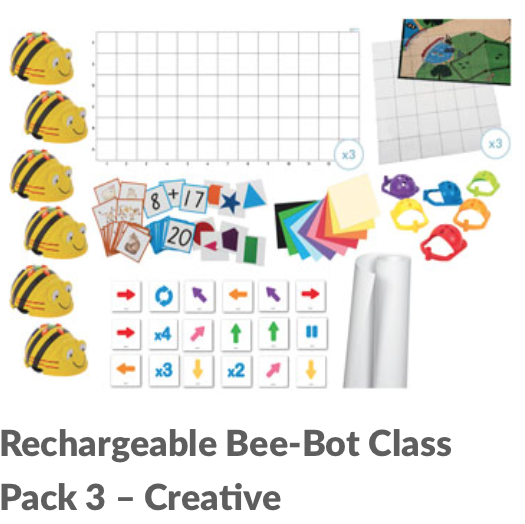
Bee-Bots are an easy-to-use robot specifically designed for younger aged primary students. They have only 7 buttons to input controls and are programmed to move up to 40 times. They are an excellent introductory robot to programming and coding skills in the classroom.

Bee-Bots are an easy-to-use robot specifically designed for younger aged primary students. They have only 7 buttons to input controls and are programmed to move up to 40 times. They are an excellent introductory robot to programming and coding skills in the classroom.

Bee-Bot: A Class Introduction via https://www.youtube.com/watch?v=52ZuenJlFyE

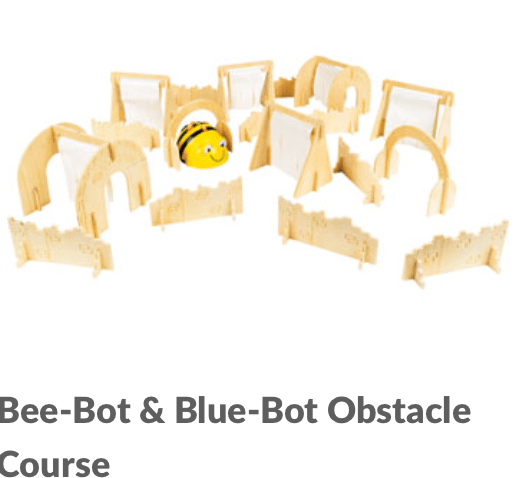
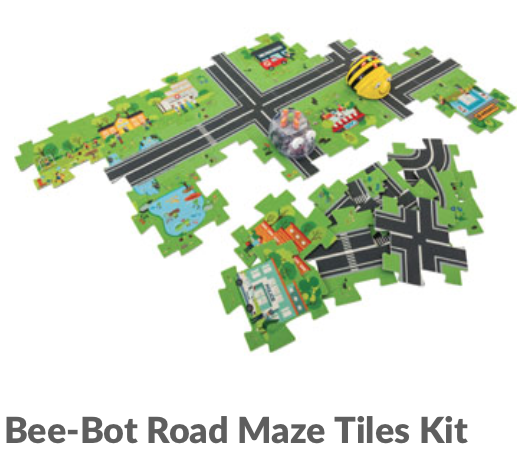
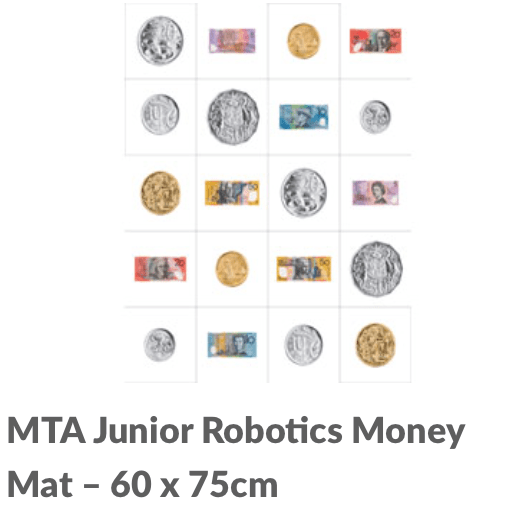
The simplicity of the Bee-Bot results in both strengths and weaknesses. The main strength is that there is no programming software, meaning students can use the Bee-Bots with minimal assistance once they learn the input controls. Additionally, aligning its usage with the curriculum of many KLAs is easy. Calculating steps and direction (maths), formulating a story (literacy) and making a mat (art) for the Bee-Bot to travel on is are some examples of excellent pedagogical uses; and therefore, creates a dynamic learning environment in which computational thinking is fostered (Atmatzidou & Demetriadis, 2015). 

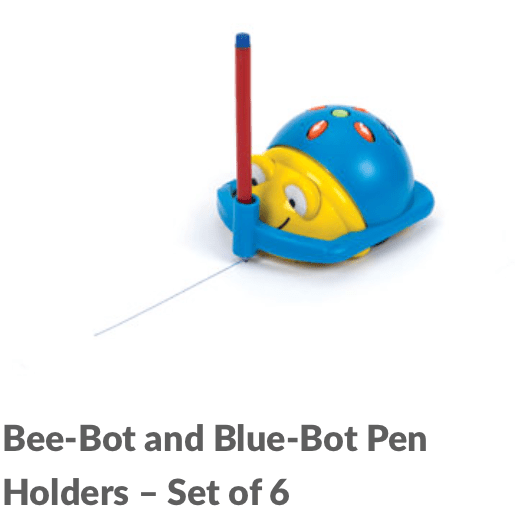
all photos via https://www.teaching.com.au/search?action=search&q=bee-bot

However, the main weakness, as a result of its simplicity, is the difficulty in creating complex and collaborative tasks. When students are no longer challenged, they become distracted and off-task behaviour increases. Whilst these are limitations, they can be easily reduced with careful consideration towards pedagogy. By creating a task which is highly complex and integrates content effectively, students are challenged and engaged in higher-order thinking, rather than the technology itself (Jung & Won, 2018; Alimisis, 2012). 

My attempt at using the Bee-Bot emulator for a literacy lesson via https://www.terrapinlogo.com/emu/beebot.html.

The Bee-Bots effectively foster creativity and critical thinking even though it is so simply designed, allowing the user to practice and develop creative thinking strategies in order to problem-solve. Introducing students to simple code in early primary school years, can ease the transition into more advanced robotic programming in later years, such as LEGO EV3 and WeDo 2.0, as student have built self-efficacy and confidence in the foundational concepts (Bers et al, 2014; Chalmers et al., 2012).


Reference List

Alimisis, D. (2012). Robotics in Education & Education in Robotics: Shifting Focus from Technology to Pedagogy. Robotics in Education Conference, 2012.
Available at: https://pdfs.semanticscholar.org/be99/1d6cface636a180fa394ee621c2bb09df1e7.pdf

Bers, M., Flannery, L., Kazakoff, E., & Sullivan, A. (2014). Computational thinking and tinkering: Exploration of an early childhood robotics curriculum. Computers & Education, 72(C), 145-157.

Bower, M. (2020). EDUC3620 – Digital Creativity and Learning: Robotics. [Lecture]. Retrieved from https://ilearn.mq.edu.au/course/view.php?id=38549

Chalmers, C., V. Chandra, S. Hudson, and P. Hudson. (2012). “Preservice Teachers Teaching Technology with Robotics.” In Going for Gold! Reshaping Teacher Education for the Future, edited by Tania Aspland and Michele Simons. Adelaide: Australian Teacher Education Association (ATEA). Available at: https://www.researchgate.net/publication/277989195_Preservice_teachers_teaching_technology_with_robotics

Jung, S., & Won, E. S. (2018). Systematic review of research trends in robotics education for young children. Sustainability, 10(4), 905.

Atmatzidou, S., & Demetriadis, S. (2015). Advancing students’ computational thinking skills through educational robotics: A study on age and gender relevant differences. ScienceDirect. Retrieved from: https://www-sciencedirect-com.simsrad.net.ocs.mq.edu.au/science/article/pii/S0921889015002420.

Micro:bit and Computational Thinking

Computational Thinking (CT) has been recently regarded as a critical skill in modern education, as a means of adapting to the future (Hsu, Chang, Hung, 2018). As defined by New South Wales Education Standards (2017), CT is the thought processes used when formulating a problem and finding its solutions. Not only does CT regard the ability to solve the problem, but also, the ability to find and formulate the problem so that a computer, being human or machine, can effectively implement the solutions (Wing, 2006). CT further elevates creative and critical thinking skills by drawing on the concepts fundamental to computer science (Wing, 2006). In addition, students use a wide range of cognitive aptitudes to analyse problems by using strategies to logically organise data, break down problems into parts, interpret patterns and design and implement algorithms to solve problems (Berry, 2013). 

Introducing the BBC micro:bit – BBC make it digital via https://www.youtube.com/watch?v=Wuza5WXiMkc

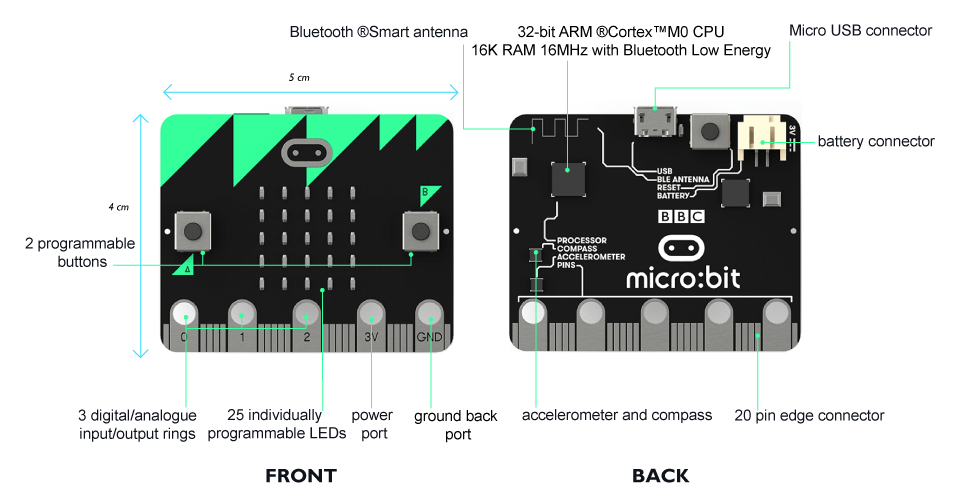
Micro:bit, is a pocket-sized programming technology allowing students to deeply engage in CT, providing them with the opportunity to learn and refine a range of coding, programming and algorithm skills. Micro:bit is easily accessible, with an array of creative outputs allowing for numerous ideas to be developed. 

BBC Micro Bit via http://microbit.org/

Using the built-in features like the buttons, LED display – which can work as light, movement and/or temperature sensors, and compass and radio communication between micro:bits, you can create animations, night-lights, fitness trackers, simple games, and more. This is the same as the Go-go board, in which students create similar projects through a more complex system. With the addition of a few inexpensive accessories like crocodile clip leads, aluminum foil, cardboard and headphones, students will have the potential to do even more, as seen here: 

Get Creative via https://youtu.be/Sg9e7oRgAxU

Both Micro:bit and the Go-go board can be used in all subject areas including, but not limited to; visual arts, music, geography, and PDHPE. Furthermore, there are numerous evident pedagogical strategies which can be implemented when integrating both micro:bit and go-go board in the classroom to further foster creativity. The negatives I discovered are in relation to the setting-up phase. It can be quite tedious and time consuming when connecting Bluetooth and making sure the correct software, technology, and internet has been downloaded and is working correctly. 

In saying this, the positives greatly outweigh the negatives and micro:bit is an excellent software to foster creativity and engage students in CT throughout many facets of education. 


Berry, M. (2013). Computing in the national curriculum – A guide for primary teachers [Ebook]. Computing at School. Retrieved 2 April 2020, from https://community.computingatschool.org.uk/resources/2618/single#.

Digital Technologies. Australiancurriculum.edu.au. (n.d.). Retrieved from: https://www.australiancurriculum.edu.au/f-10-curriculum/technologies/digital-technologies/.

Hsu, T., Chang, S., & Hung, Y. (2018). How to learn and how to teach computational thinking: Suggestions based on a review of the literature. Computers & Education126, 296-310. https://doi.org/10.1016/j.compedu.2018.07.004

NESA. (2017). K-6 Science and technology syllabus.

Wing, J. (2006). Computational thinking. Communications Of The ACM49(3), 33. https://doi.org/10.1145/1118178.1118215

Design Thinking within Education

Introduction to Scratch via https://www.youtube.com/watch?v=jXUZaf5D12A

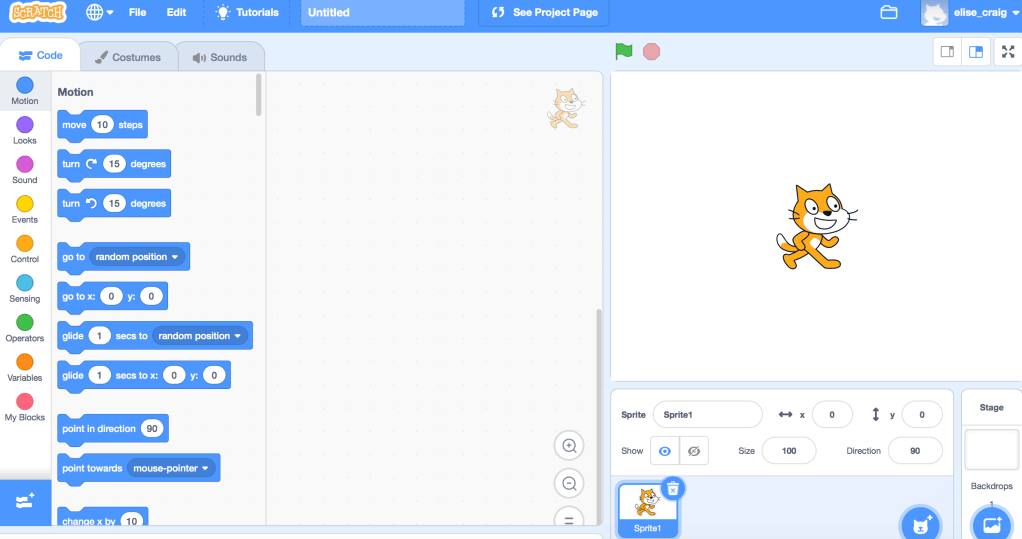
Scratch is a coding technology wherein design thinking is used to create interactive stories, games, and animations (“Scratch – About”, 2020). Design thinking is the ability to complete a course of actions aimed at changing existing situations into preferred ones. Scratch can be used as an engaging cross-curricular activity in most subject areas, and draws on prior knowledge (Ling Koh et al., 2015). Students develop cognitive processes to think critically and creatively, reason systematically, and work collaboratively to improve the quality of their design products (Laurillard, 2012; Ling Koh et al., 2015). Additionally, teachers are able to explicitly model design thinking as well as creativity. 

The following video is a demonstration on how to use Scratch. 

How to make your first Scratch program via https://www.youtube.com/watch?v=VIpmkeqJhmQ

It is clear that there are numerous facets to the program making it appealing to use, however, these can also be extremely difficult to understand. Therefore, explicit instruction is critical to maintain student engagement and effective learning through design thought processes. 

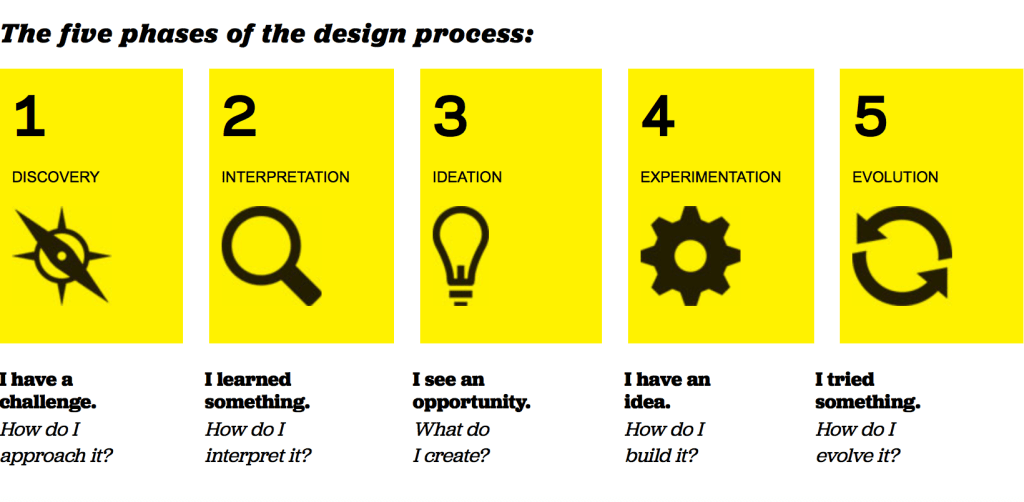
There are 5 phases of the design thinking process:

1.   Discovery

2.   Interpretation 

3.   Ideation 

4.   Experimentation 

5.   Evolution 

Design Thinking via https://designthinkingforeducators.com/design-thinking/

Technologies that are going to be integrated into the classroom must allow children to explore and solve problems using all 5 phases of the design process. By providing students with this opportunity, students are able to generate and develop their ideas. Thus, ensuring development of student’s character, and abilities to overcome ambiguous tasks to further broaden their educational experiences (Laurillard, 2012; Ling Koh et al., 2015). 

As a teacher, I will be aiming to provide a supportive environment which encourages creativity and innovation through the design thinking phases, with the awareness of shifting pedagogical designs. I will try to constructively align goals for learning with what is taught, how it’s taught, and how it’s assessed. (Biggs, 2003; Fry 2009). 

Snap!, another coding program similar to Scratch, however more complex, both achieve this through the endless possibilities of generating solutions for various problems. Students are able to use the design thinking process to continually evolve their design ideas and solve any problems within it. 

Designing a Maze on Scratch by me via https://youtu.be/wPNX10dNh8o

Therefore, schools and their teachers should pay greater attention in embedding design thinking into learning outcomes as an integral part of education as they clearly promote the development of various cognitive processes to solve a wide variety of problems (Laurillard, 2012; Ling Koh et al., 2015).


Biggs, J. (2003). Teaching for Quality Learning at University. Buckingham: SRHE/OUP.

Fry, H. (2009). A handbook for Teaching and Learning in Higher Education: Enhancing academic practice. London: Taylor & Francis.


Laurillard, D. (2012). Teaching as a Design Science: Building Pedagogical Patterns for Learning and Technology. Routledge. ProQuest Ebook Central, http://ebookcentral.proquest.com/lib/mqu/detail.action?docID=957058.

Ling Koh, J., Chai, C., Wong, B., & Hong, H. (2015). Design Thinking for Education. Springer Singapore.

Scratch – About. Scratch.mit.edu. (2020). Retrieved 3 April 2020, from https://scratch.mit.edu/about.

Emerging Technology in the Classroom.

Emerging technologies have the ability to foster creativity within students. There is a wide variety of educational technologies which are capable of fostering creativity however, there are some that do not (Henriksen, Mishra & Fisser, 2016). I believe technology should be applied alongside teacher creativity, because without teacher creativity, students would not be able to explore and experiment with technology nor would creativity be fostered or developed (Loveless, Burton & Turvey, 2006; (Henriksen, Mishra & Fisser, 2016). Creativity is essential in developing divergent and original ideas, as well as creative and critical thought processes. Therefore, it is critical for teachers to gain a profound understanding of creativity first, in order for students to use factual, conceptual and procedural knowledge together with creative cognitive processes (Bower, 2017; Anderson & Krathwohl, 2001).  

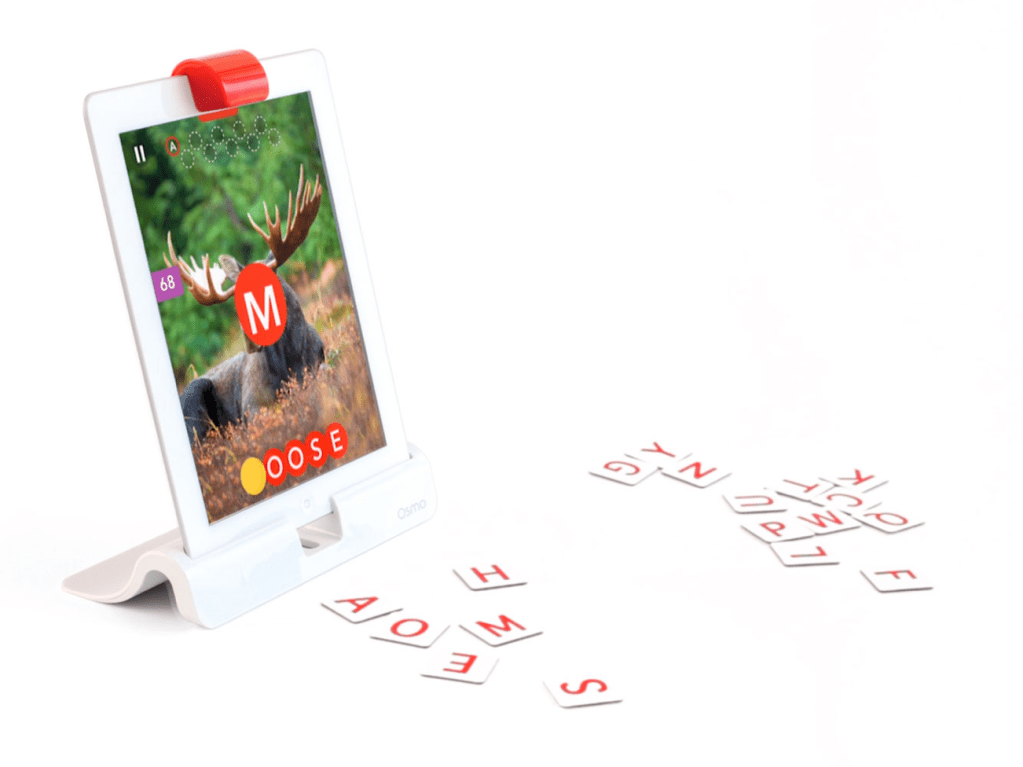
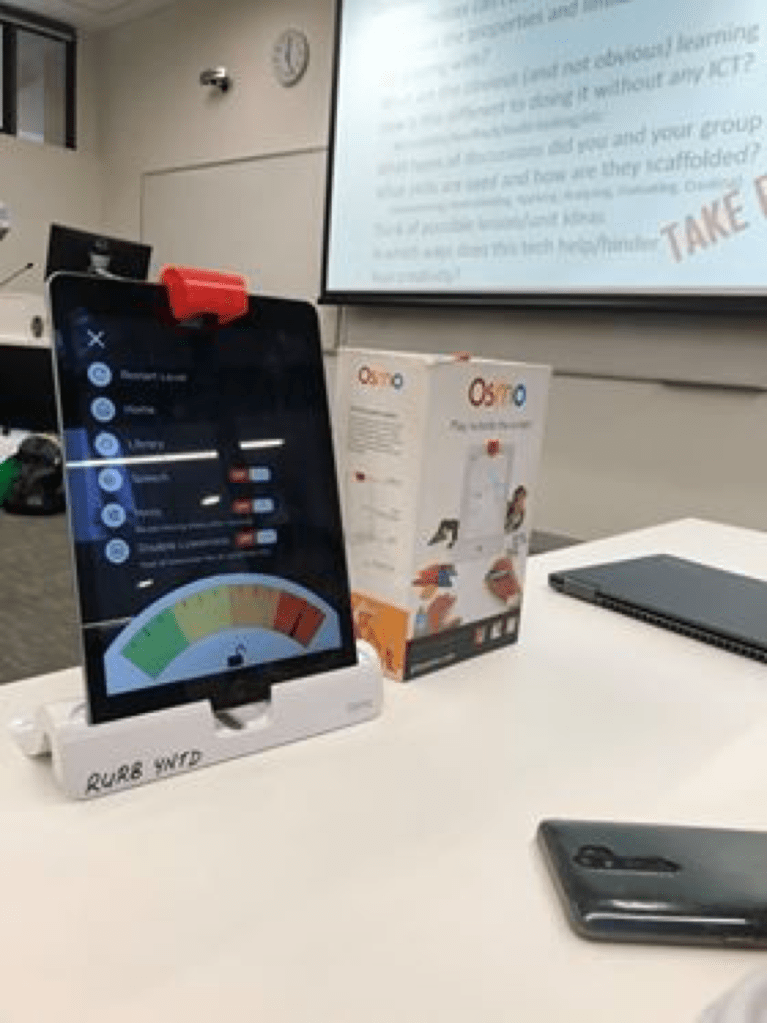
OSMO is an emerging technology consisting of games in math’s, puzzles, coding, business, spelling and drawing. My group experimented with the spelling game and found many pros and cons. OSMO is played by throwing tangible letter pieces under the projector which then appear on the screen as correct or incorrect. OSMO can be used in all curriculum areas you can create your own games specifically for what you are teaching (i.e. science – water cycle). You can also manipulate the difficulty of the games depending on student’s abilities. Thus, it is excellent to engage older students in summary/reflective lessons, and can also help younger students to develop spelling and reading skills at a faster pace.

The main issue we found was that by throwing the letters under the projector, children may begin throwing numerous random letters in order to win, easily creating an uncontrollable environment. Additionally, there may not be enough of a challenge for older students as it only allows students to remember what they have been taught in a rote-learning situation. Furthermore, it only accesses students remembering cognitive process of both factual and conceptual knowledge correlating to the mini-c level of creativity (Anderson&Krathwohl, 2001; Beghetto & Kaufman, 2013).

Overall, I believe OSMO is an engaging and unique way for students to learn. It can be used in all curriculum areas however, mainly summary/revision activities and spelling lesson activities. Teacher creativity is essential in creating challenging games however, OSMO will still only access lower cognitive processes. Therefore, I do not believe that OSMO truely fosters creativity.

Design a site like this with WordPress.com
Get started